WhatsApp Business
WhatsApp vs WhatsApp Business: Differences, Features and Which One to Use
WhatsApp or WhatsApp Business? Compare features, limits and costs, see where the WhatsApp Business API fits, and pick the right one for your shop.
By the WAStore team10 min read
In this guide
- The three versions of WhatsApp at a glance
- What WhatsApp Business adds
- What regular WhatsApp still does better
- WhatsApp Business app vs WhatsApp Business API
- Which one should you use?
- How to switch from WhatsApp to WhatsApp Business
- Getting the most out of WhatsApp Business
- Common myths
- Bottom line
- Frequently asked questions
Open your phone's app store and search for WhatsApp, and you'll see two green icons: WhatsApp and WhatsApp Business. Search the web and you'll find a third option, the WhatsApp Business API, which isn't an app at all. All three send messages to the same WhatsApp users, so which one should a small business use?
The short answer: if you sell anything, use WhatsApp Business. It's free, it's the same WhatsApp your customers already know, and it adds the tools you need to look professional and answer faster. The API only makes sense once you have a team, a lot of volume, or need automation.
The longer answer — with the full feature comparison, what you give up, and how to switch without losing your chats — is below.
The three versions of WhatsApp at a glance
| WhatsApp Business app | WhatsApp Business Platform (API) | ||
|---|---|---|---|
| Who it's for | Individuals | Small businesses and sole traders | Medium and large businesses, or anyone needing automation |
| Cost | Free | Free (optional paid extras) | Pay per message, plus a provider fee in most cases |
| How you use it | Phone app, WhatsApp Web, desktop | Phone app, WhatsApp Web, desktop | Through software: a provider's inbox, a CRM or your own code |
| Business profile | No | Yes | Yes |
| Product catalog | No | Yes, up to about 500 items | Yes, via Meta Commerce Manager |
| Greeting and away messages | No | Yes, one of each | Fully programmable |
| Quick replies | No | Up to 50 | Unlimited, via your software |
| Labels | No | Yes | Via your software |
| Messaging many customers | Broadcast lists of 256 | Broadcast lists of 256, plus paid broadcasts in some markets | Any size, to opted-in customers, with approved templates |
| Chatbots and integrations | No | No | Yes |
| Team access | Linked devices | Linked devices | Unlimited agents through your provider |
What WhatsApp Business adds
WhatsApp Business is built on the same foundation as regular WhatsApp: the same chats, calls, voice notes, status updates, groups and end-to-end encryption. If you already know WhatsApp, you already know 90% of WhatsApp Business. Here's what the other 10% gets you.
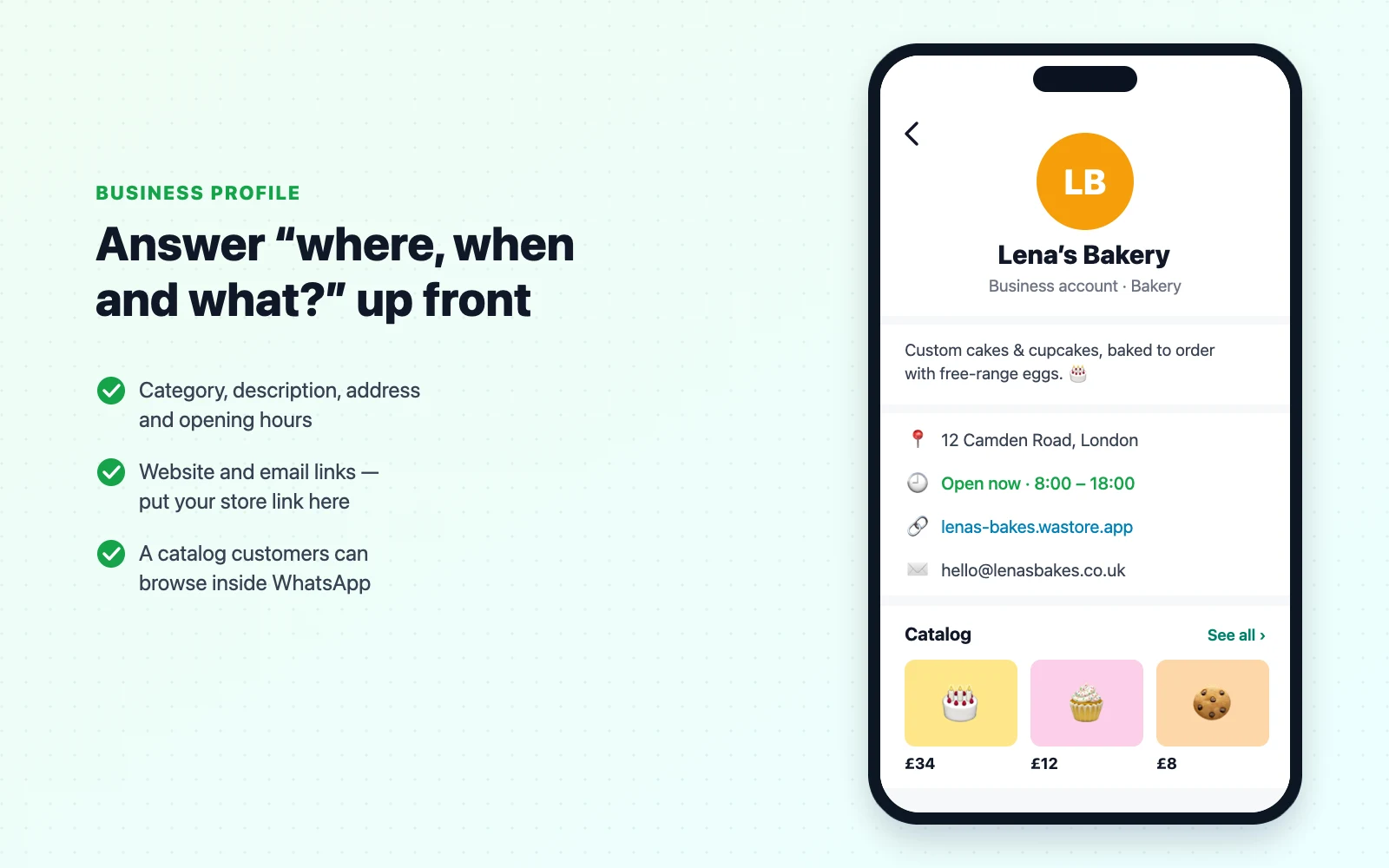
A business profile
Your profile can show your business category, a short description, address, opening hours, email and website links. Customers see it when they tap your name. A complete profile quietly answers the most common pre-sale questions and makes a small shop look established.
A product catalog
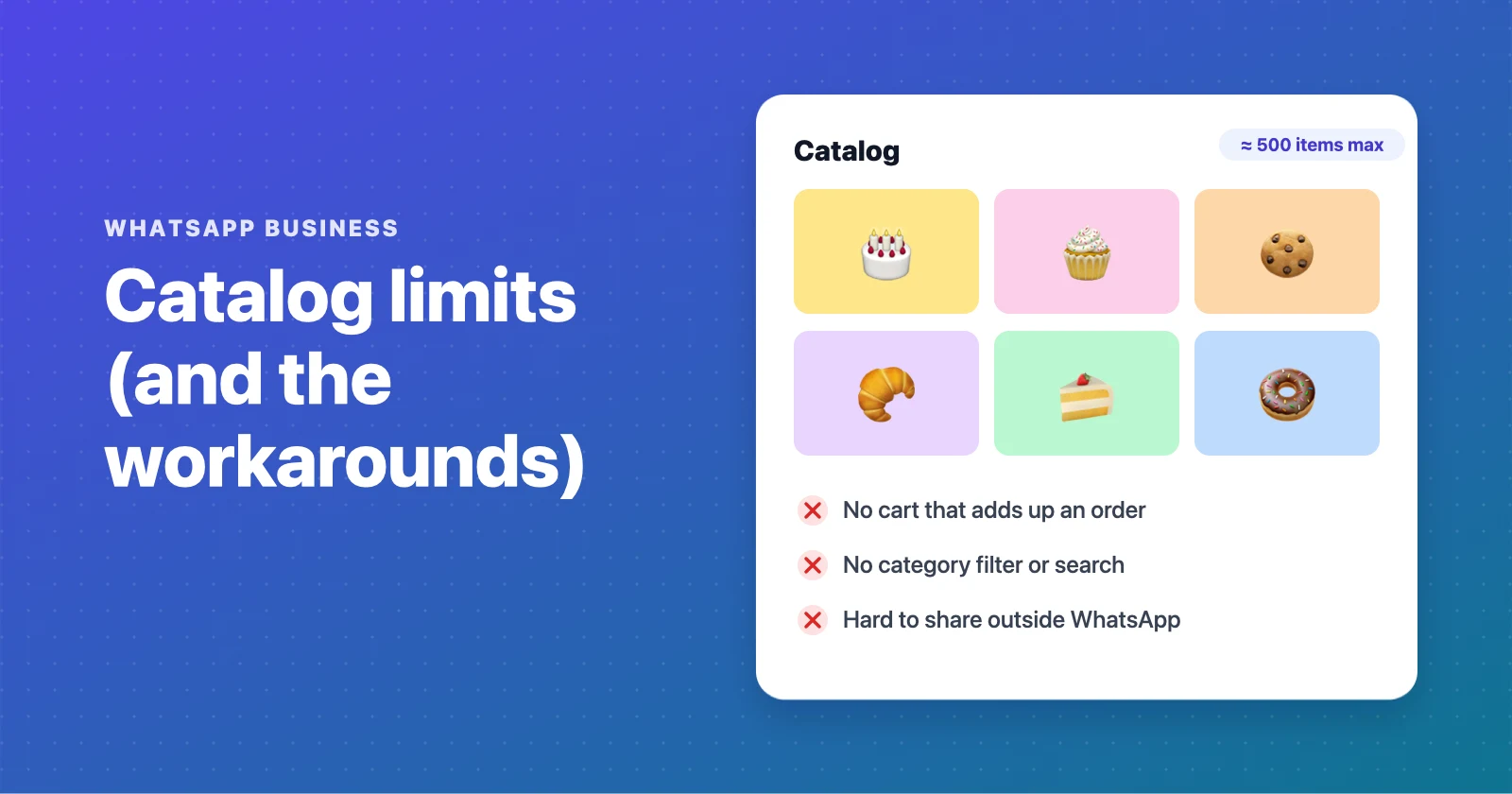
You can list products or services with photos, prices and descriptions, and group them into collections. Customers can browse the catalog inside WhatsApp and send you an item. It's a big step up from sending photos one by one, but it has limits: about 500 items, no categories filter or search for customers, and no cart that adds up an order. We cover those in detail in WhatsApp Business catalog limits.
Automatic greeting and away messages
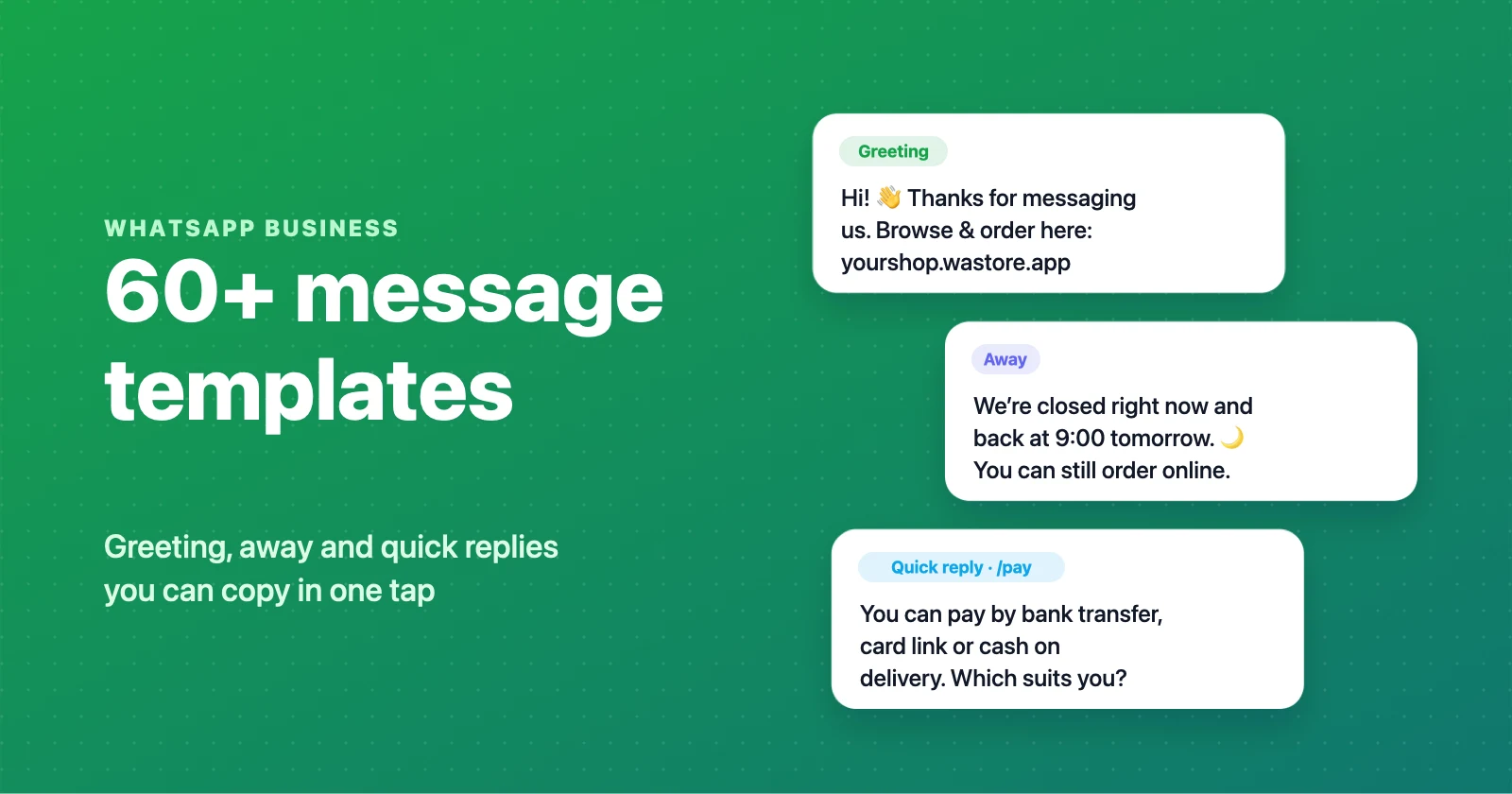
WhatsApp Business can send a greeting message when a new customer writes to you, and an away message outside your opening hours. They are simple, one-message auto replies — not chatbots — but they make sure nobody waits in silence. If you need wording, we have 60+ copy-and-paste greeting, away and quick reply templates.
Quick replies
Save up to 50 answers you send often — prices, payment details, delivery areas — and insert them by typing / and a shortcut. This alone can save a busy seller an hour a day.
Labels
Colour-coded labels like New customer, Pending payment, Paid and Order complete turn your chat list into a lightweight order board. You can filter chats by label to see, for example, everyone who still owes you money.
Short link and QR code
WhatsApp Business gives you a short link and QR code that open a chat with your business, optionally with a pre-filled message. (You can do something similar with any number using a wa.me link.)
Ads and paid extras
From the app you can create ads on Facebook and Instagram that open a WhatsApp chat with you. In some countries there are optional paid features too, such as Meta Verified for business (a verified badge and extra account protection) and paid business broadcasts for marketing messages to opted-in customers. The core app stays free.
What regular WhatsApp still does better
There are a few reasons people keep using regular WhatsApp for business, and they're worth knowing.
It keeps life simple if you only have one number. A phone number can be active on only one of the two apps at a time. If you don't want customers on your personal number, the answer is a second number, not a second app.
It doesn't look like a business. For a tiny side hustle where you mostly sell to friends and neighbours, a business label can feel too formal. That's a matter of taste — most customers prefer knowing they're talking to a real business.
Nothing to learn. True, but the learning curve for WhatsApp Business is about ten minutes.
For anyone selling regularly, those reasons rarely outweigh a catalog, auto replies and labels.
WhatsApp Business app vs WhatsApp Business API
This is where most of the confusion comes from. The "WhatsApp Business API" isn't a better version of the app — it's a different product for a different problem.
The Business app is a phone app that one person (or a small team on linked devices) uses to chat with customers by hand.
The Business Platform (API) is a connection for software. There's no WhatsApp app screen: you use it through a provider's shared inbox, a CRM, a chatbot builder or your own code. It lets a business:
- give many agents access to the same number,
- run chatbots and automated flows,
- connect WhatsApp to a CRM, help desk or online store,
- send notifications and marketing messages to large lists of customers who have opted in, using message templates that Meta reviews.
It also comes with costs and rules. Since July 2025, Meta charges per message for template messages (marketing, utility and authentication), with rates that depend on the country and category. Replies inside the 24-hour customer service window — after a customer messages you — are free. Most businesses also pay a provider for the inbox or bot software on top.
Historically, a number had to choose between the app and the API. Meta has since introduced coexistence, which lets many businesses connect their existing Business app number to the API and keep using the phone app for one-to-one chats. Availability and limits depend on your provider and country.
Which one should you use?
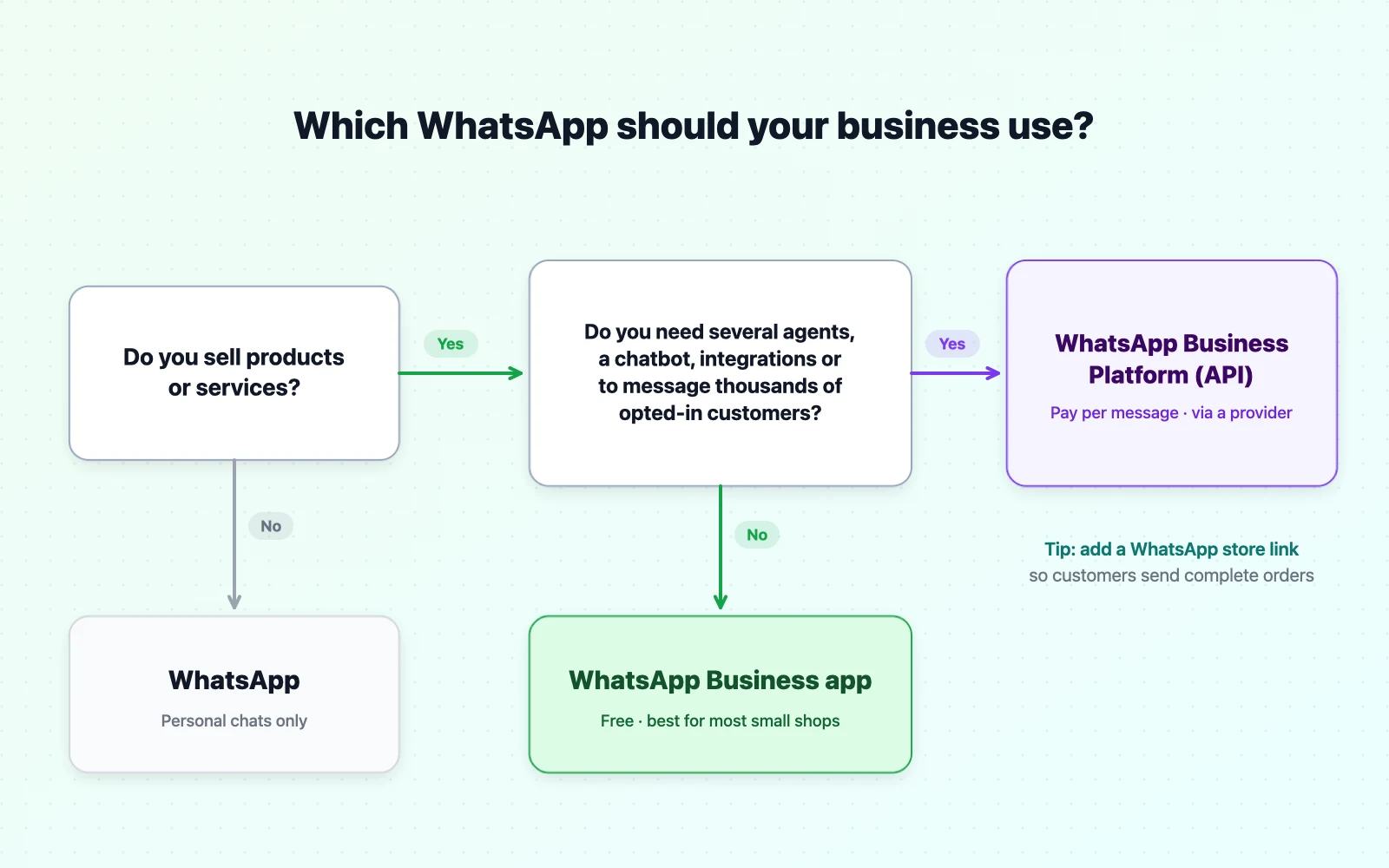
Use regular WhatsApp if you're only chatting with friends and family, or you sell very occasionally and don't want a separate number.
Use WhatsApp Business if you sell products or services, even part-time. That covers home bakers, boutiques, beauty and nail studios, tutors, repair shops, restaurants doing takeaway, resellers and almost every small business that takes orders by chat.
Consider the WhatsApp Business Platform (API) if you have several people answering messages, want automated flows or a chatbot, need integrations with other systems, or send large volumes of order notifications or marketing to opted-in customers — and you're ready to pay per message.
How to switch from WhatsApp to WhatsApp Business
Moving your existing number takes about five minutes and keeps your chats.
- Back up your chats in WhatsApp: Settings → Chats → Chat backup.
- Install WhatsApp Business from the App Store or Google Play.
- Open it and agree to the terms. It will detect the number you use in WhatsApp and offer to use it — tap to continue.
- Allow the transfer of your chat history when asked.
- Set up your business profile: name, category, description, address, hours, website.
- Add your catalog, greeting message, away message and a few quick replies.
Your number is now on WhatsApp Business, and regular WhatsApp on that phone will no longer be connected to it. If you want to keep a personal WhatsApp too, register it with a second number.
Getting the most out of WhatsApp Business
Switching apps is the easy part. These are the habits that make it pay off.
Complete every field of your profile. Opening hours and address answer questions before they're asked. The website field is the best place for your store link.
Use labels as your order board. Five labels are enough for most shops: New, Awaiting payment, Paid, Ready / shipped, Done.
Write your auto replies once, properly. A greeting message with one useful link beats a generic "thanks for your message". See our message templates.
Keep one link everywhere. Put the same store link in your WhatsApp profile, Instagram bio and status. It's simpler for customers and you can update products in one place.
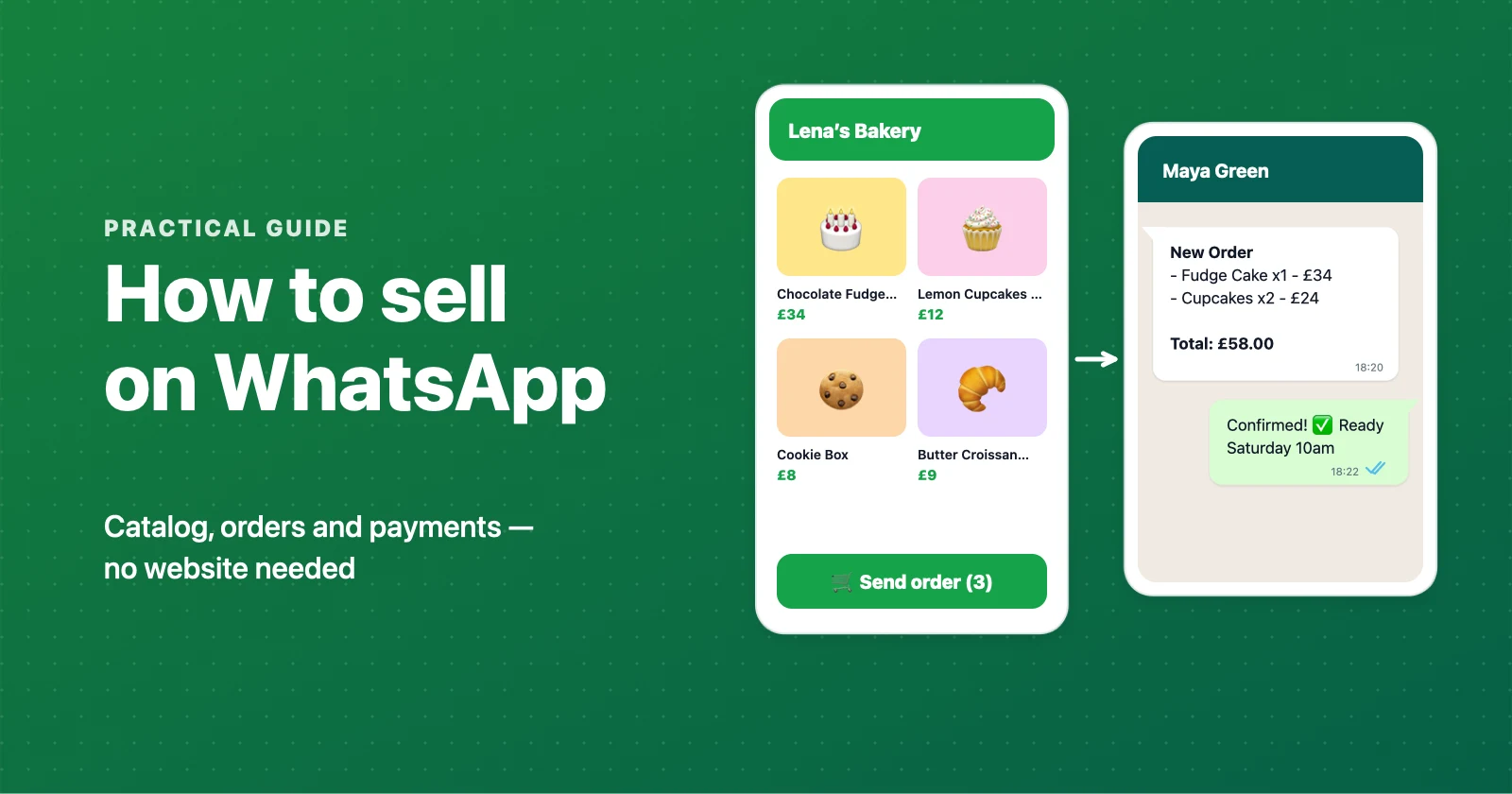
Let customers build the order. The single biggest time saver is a catalog with a cart, so customers send you a complete order instead of a conversation you have to piece together. The built-in catalog can't add up a basket, which is why many sellers use a WhatsApp store like WAStore: customers browse categories, fill a cart and tap one button, and the full order — items, quantities, total and delivery details — lands in your WhatsApp chat. It works with both WhatsApp and WhatsApp Business, and it's free for up to 50 products.
Common myths
"WhatsApp Business costs money." The app is free. Paid options exist, but you don't need them to sell.
"I need the API to look professional." A complete business profile, a catalog and good auto replies look professional. The API is about automation and scale, not appearance.
"Customers have to download something." No — customers use their normal WhatsApp. They don't need WhatsApp Business.
"WhatsApp Business is less private." It uses the same end-to-end encryption for chats with customers. Some API setups route messages through a provider; read your provider's terms if that matters to you.
"I'll lose my chats if I switch." Not if you switch on the same phone and accept the chat transfer — and you've made a backup first.
Bottom line
WhatsApp Business is the right choice for almost every small seller: it's free, familiar to your customers, and adds exactly the tools you need — a profile, a catalog, auto replies, quick replies and labels. Keep regular WhatsApp for personal chats on a separate number, and leave the API until you genuinely need automation or a team inbox.
Ready to take it further? Read how to sell on WhatsApp for the full playbook, or create a free WhatsApp store so customers can order in a few taps.
Frequently asked questions
What is the main difference between WhatsApp and WhatsApp Business?
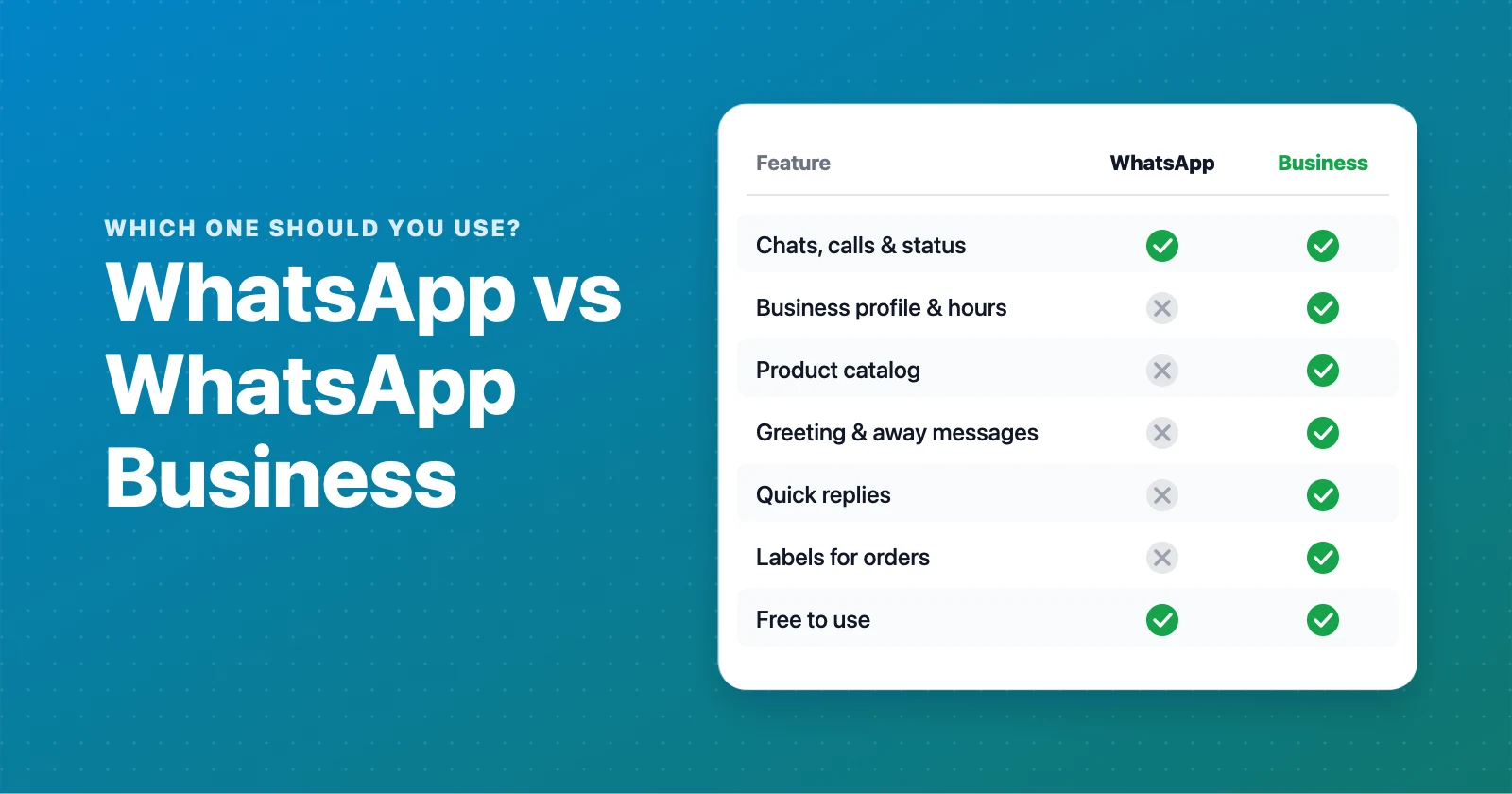
Both are free and use the same chats, calls and encryption. WhatsApp Business adds tools for selling: a business profile with your address and hours, a product catalog, automatic greeting and away messages, quick replies, labels to organise chats, and a business short link. Regular WhatsApp is designed for personal use.
Is WhatsApp Business free?
Yes. The WhatsApp Business app is free to download and use. Some optional extras are paid, such as Meta Verified for business and paid business broadcasts in some countries. The separate WhatsApp Business Platform (API) charges per message.
Can I use WhatsApp and WhatsApp Business on the same phone?
Yes, as long as each app uses a different phone number. A dual-SIM phone, or a second number, lets you keep personal chats in WhatsApp and customers in WhatsApp Business.
Can I use the same number for WhatsApp and WhatsApp Business?
Not at the same time. A phone number can be active on one of the two apps. You can move your number from WhatsApp to WhatsApp Business, and your chat history can come with it.
Will I lose my chats if I switch to WhatsApp Business?
No, if you switch on the same phone. During setup, WhatsApp Business offers to use the number and restore the chat history from your WhatsApp account. Make a backup first to be safe.
Can customers tell that I use WhatsApp Business?
Yes. Business accounts are labelled as businesses, and customers can see your business profile, such as your category, description, address and hours. Most customers see this as a sign of a real, trustworthy shop.
Do I need the WhatsApp Business API to sell on WhatsApp?
No. Most small shops sell perfectly well with the free WhatsApp Business app or even regular WhatsApp. The API is for businesses that need many agents, chatbots, integrations or messaging thousands of opted-in customers, and it costs money per message.
How many products can I add to the WhatsApp Business catalog?
The WhatsApp Business catalog holds up to about 500 items. It has no cart or categories filter for customers, so many sellers pair it with a dedicated WhatsApp store that sends complete orders to their chat.
Build a free WhatsApp store in about 90 seconds
Catalog, cart and WhatsApp orders — free for up to 50 products.
Get started