Selling on WhatsApp
How to Make a Private Wholesale Catalog for Your WhatsApp Buyers
Set up a password-protected wholesale catalog your WhatsApp buyers can order from: trade prices, pack sizes, a minimum order and bulk uploads, plus what it can't do.
By the WAStore team10 min read
In this guide
- Why a public catalog doesn't work for wholesale
- What a private wholesale catalog needs
- Step 1: Create a separate wholesale store
- Step 2: Copy your products in with CSV
- Step 3: Price by the box, case or carton
- Step 4: Set a minimum order
- Step 5: Turn on the password
- Step 6: Share it with your buyers on WhatsApp
- How orders and payment work
- What it can't do (yet)
- What it costs
- Quick setup checklist
- Frequently asked questions
Most wholesale on WhatsApp still runs on a PDF price list. You send it to every new buyer, it's out of date the moment a price changes, and sooner or later a retail customer gets hold of it and asks why the shop down the road pays less. Then every order is a long back-and-forth: "Do you still have the blue ones? How many in a box? What's my total?"
A better setup is one link that only your trade buyers can open. They see current prices and stock, pick boxes and cases, and send you a complete order on WhatsApp. This guide shows how to build that with WAStore, step by step, and is honest about what it can't do yet.
Why a public catalog doesn't work for wholesale
A normal online catalog is built to be found: anyone with the link can browse it, and search engines list it. That's exactly what you want for retail, and exactly what you don't want for trade prices.
- Retail customers see trade prices and feel overcharged.
- Your resellers' customers see them too, which undercuts the shops that stock you.
- Competitors can copy your price list in a minute.
- Retail and wholesale get mixed up. A small shop orders single pieces at retail prices, or a retail customer tries to order a case.
What a private wholesale catalog needs
| Need | How to do it on WAStore | Plan |
|---|---|---|
| Only approved buyers can see it | Store password | Pro |
| Separate trade prices | A second store just for wholesale | Pro (3 stores) |
| Your whole range, fast | CSV export and import | Export on Pro, import on every plan |
| Boxes, cases and cartons | Variants with their own price, or "price per pack" | Variants on every plan, units on Pro |
| No tiny orders | Minimum order amount | Pro |
| Don't sell what you don't have | Stock tracking per product or variant | Pro |
| Orders arrive complete | Cart and checkout that send the order to your WhatsApp | Every plan |
Step 1: Create a separate wholesale store
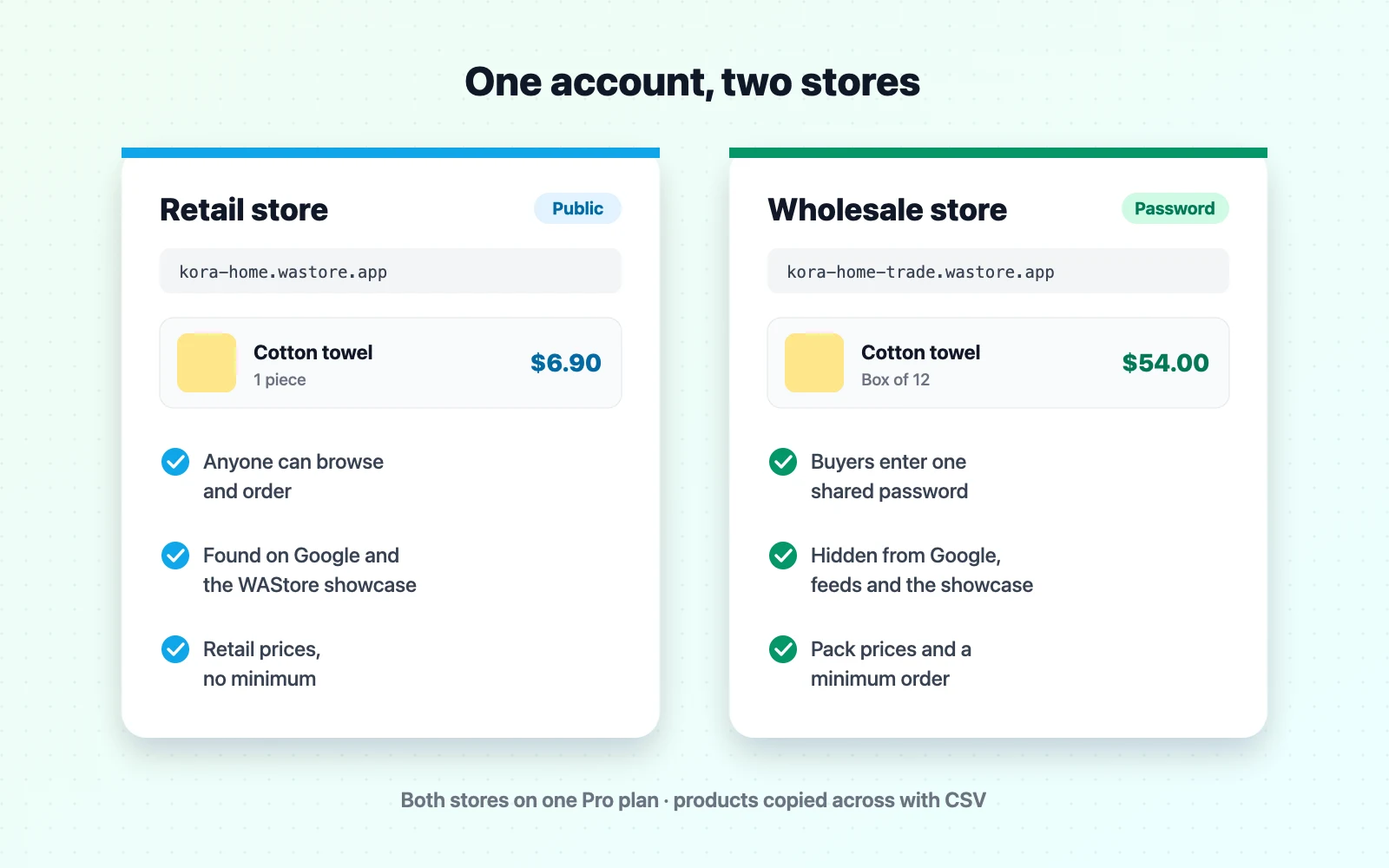
In a WAStore store, each product (or variant) has one price. If you sell retail and wholesale, the cleanest answer is two stores on the same account: your public retail store, and a private wholesale store with trade prices.
- In your dashboard, click your store name in the sidebar to open the store switcher.
- Choose Create new store and go through the setup again. Give it a name your buyers will recognise, like "Kora Home Trade", so the link becomes something like
kora-home-trade.wastore.app. - Switch between the two stores from the same menu at any time.
Pro covers up to 3 stores on one account, and both stores get every Pro feature from the one subscription. If you need more, WAStore Max has no store limit.
If you only sell wholesale, skip this step and make your one store private.
Step 2: Copy your products in with CSV
You don't have to add every product by hand again.
- In your retail store, open Products and click Export CSV (Pro). You get a spreadsheet of every product: name, description, price, category, images, stock, SKU and unit.
- Open it in Google Sheets or Excel and change the price column to your wholesale prices. Delete the rows you don't sell wholesale.
- Switch to your wholesale store, click Import CSV and upload the file. You'll see a preview of every row before anything is created. Categories that don't exist yet are created for you, and photos come across from their links.
Three things to know:
- Variants aren't imported. Products with sizes or pack options need their variants added again by hand (see step 3).
- Import only adds products. It never updates ones that are already there, so to fix a price later, edit the product.
- Limits: 200 rows per file, and up to 200 products per store on Pro (unlimited on Max).
Starting from a PDF or a messy price list instead? Download the CSV template on the import screen, or use the Copy AI formatting prompt button: paste the prompt and your list into ChatGPT, Gemini or Claude, and it turns the list into a file you can import.
Step 3: Price by the box, case or carton
Wholesale buyers rarely buy one piece. Set your products up in the units you actually sell:
- Variants for pack sizes (every plan). On the product, open Product Variants and add one variant per option, each with its own price and stock: "Box of 12" for 54 dollars, "Case of 48" for 196 dollars. Buyers pick the size before adding it to the cart.
- Price per pack (Pro). If a product only ever sells in one pack size, set Price per to "pack". The price then shows as "54.00 / pack" in the store, the cart, the WhatsApp message and your orders.
- Item numbers (Pro). Add your SKU / item number so buyers can match your catalog to their own stock system. It shows on the product page, in orders and in your CSV exports.
Write the unit price in the variant's description ("4.50 per towel") so buyers can compare sizes quickly.
| Variant | Price | Per piece |
|---|---|---|
| Box of 12 | 54.00 | 4.50 |
| Case of 48 | 196.00 | 4.08 |
| Pallet of 480 | 1,820.00 | 3.79 |
Step 4: Set a minimum order
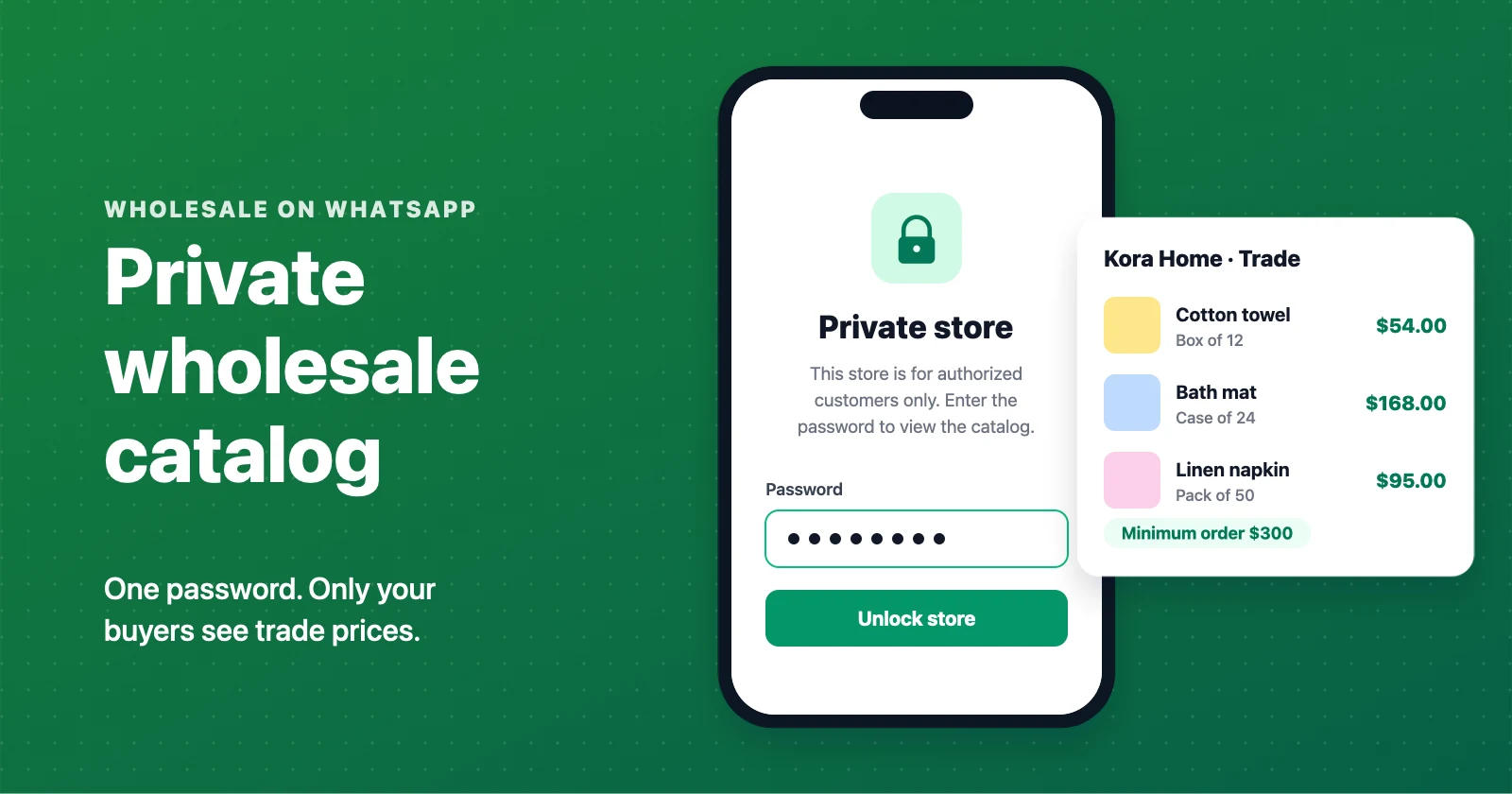
Go to Settings → Pricing and fill in Minimum Order Price (Pro). This is an amount of money, such as 300, not a number of items. Until a buyer's cart reaches it, checkout shows a "minimum order not met" message and tells them how much more to add, so you never get a wholesale order that isn't worth packing.
If you deliver to several areas, delivery options on the same tab (Pro) let you set a fee, a free-delivery amount and a separate minimum order for each zone. A buyer across town might need 300, while one in the next city needs 800.
Turn on stock tracking while you're there. Buyers can't add more to the cart than you have, and the stock goes down automatically with every order.
Step 5: Turn on the password
Now lock the store:
- Open Settings → General.
- Switch on Password-protect this store and choose a password.
- Save.
From now on, anyone who opens the link sees a "Private store" screen with a password field and an Unlock store button. After a buyer enters the right password once, their browser remembers it, so they don't have to type it again every time.
While the password is on:
- Products and prices are hidden from anyone without the password, on every page of the store.
- The store stays out of Google, out of the WAStore showcase and out of product feeds like Google Shopping.
- Order tracking and gift card links still open, so buyers can follow their orders.
Two things to plan for:
- You can't look the password up later. For security it can only be changed, not shown, so save it somewhere safe.
- Changing it locks everyone out. If a buyer you've stopped working with still has the old password, set a new one and send it only to the buyers you keep.
Step 6: Share it with your buyers on WhatsApp
Send each buyer the link and the password. A message like this works:
Wholesale catalog invite
Hi [Name]! Our wholesale catalog is now online, with current prices and stock: [store link]
Password: [password]
Pick boxes and cases, check out, and your order comes straight to me here on WhatsApp. Minimum order is [amount]. Any questions, just reply.
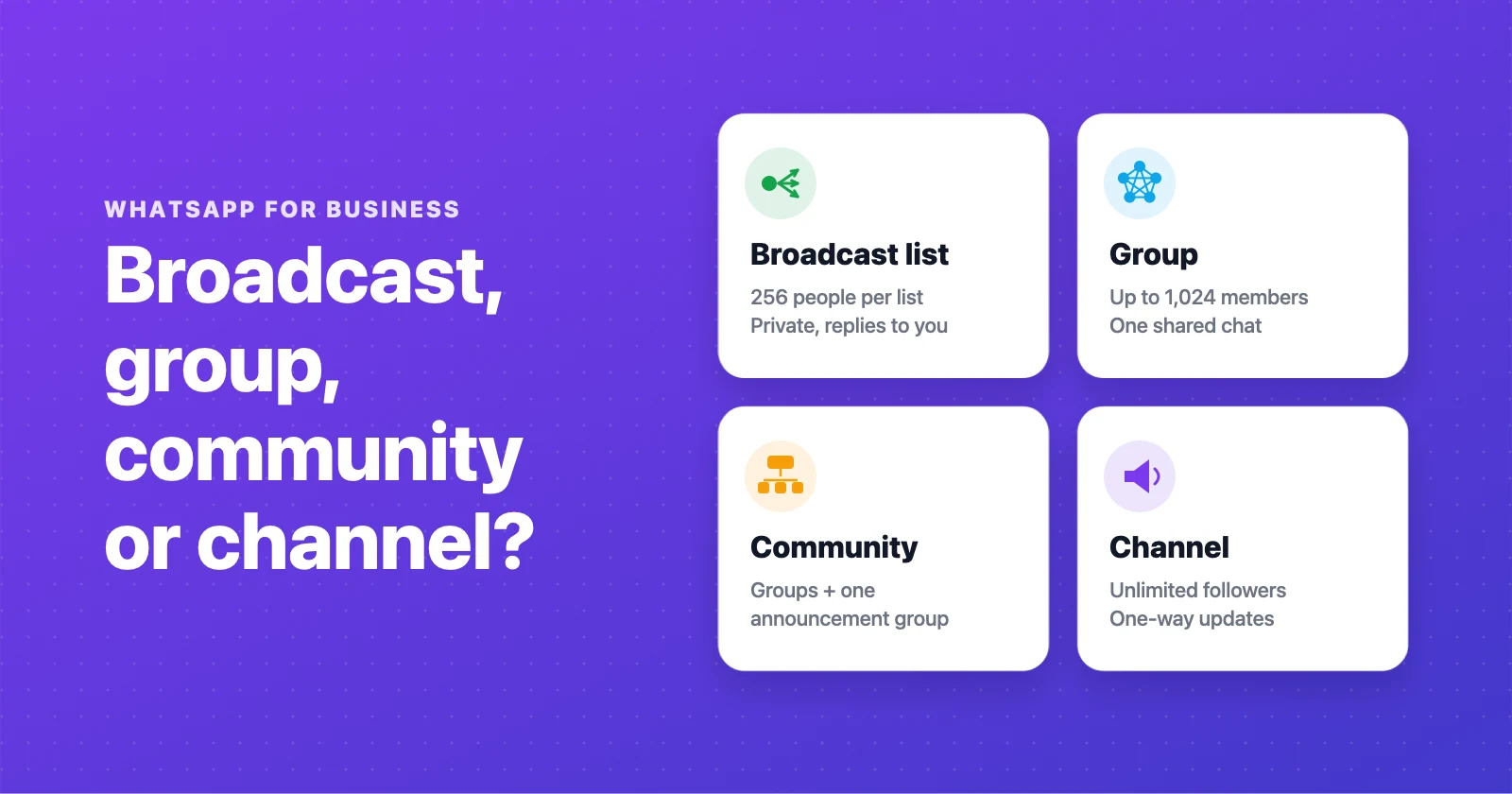
Use a broadcast list rather than a group for wholesale announcements. In a group, every buyer sees the others' names and numbers; a broadcast list sends each one a private message. Our guide to broadcast lists, groups, communities and channels explains the difference.
How orders and payment work
When a buyer checks out, they fill in their name, phone and delivery address. There's no separate field for a company name, tax number or purchase order number, so ask buyers to add those under Add special instructions? at checkout. The note appears on the order and in the WhatsApp message.
Every order is saved in your dashboard, and the buyer is offered a ready-to-send WhatsApp message with the full order: items, pack sizes, quantities, total and address. Turn on order emails (Settings → Notifications) to be alerted about every order, even if a buyer never presses send in WhatsApp.
For payment:
- Bank transfer and other manual methods (every plan). Add your bank details under Settings → Payment and show them at checkout. You and the buyer settle up directly, which suits wholesale.
- Card payments (Pro). Where Stripe is available, connect it and buyers can pay by card at checkout. The money goes into your own Stripe account, and WAStore takes no commission.
- PDF receipts (Pro). Every order has a printable receipt. It's a sale confirmation, not a tax invoice, so keep issuing invoices from your accounting tool if you need them.
If someone else takes the orders, invite them under Team with their own login. Pro includes 3 teammates per store.
What it can't do (yet)
A password-protected WAStore store covers what most small wholesalers need, but it isn't a full B2B platform. Today it doesn't have:
- Automatic price breaks by quantity (10+ units cheaper). Use pack sizes and a minimum-order coupon instead.
- A login for each buyer. All buyers share one password and see the same prices. For price tiers, run one store per tier.
- A minimum quantity per product. The minimum order is an amount for the whole cart.
- Invoices, payment terms or credit limits. Payment is arranged between you and the buyer.
- Business fields at checkout, such as company name or tax number. Use the order notes.
If you need buyer accounts, per-customer price lists and net-30 terms, a dedicated B2B ordering system is a better fit. If you need a private catalog your buyers can order from on WhatsApp, this setup takes an afternoon.
What it costs
Everything in this guide works on WAStore Pro: 7.90 dollars a month, or 59.90 dollars a year. That includes the password, minimum orders, stock tracking, pack units and item numbers, CSV export, coupons, card payments, delivery zones, 3 stores and up to 200 products per store. WAStore Max (17.90 dollars a month) removes the product and store limits. There's no commission on orders on any plan, and you can try Pro free for 7 days without a card.
Quick setup checklist
- Create a second store for wholesale (or use your only store).
- Export your retail products to CSV, change the prices, import them.
- Add pack-size variants, units and item numbers.
- Set a minimum order, delivery zones and stock.
- Switch on Password-protect this store and save the password somewhere safe.
- Send the link and password to your buyers on WhatsApp.
Ready to try it? Create your free WhatsApp store, start the free Pro trial, and you can send your first buyer a private catalog today. For more on sharing it, read how to share a product catalog on WhatsApp.
Frequently asked questions
Can I make my WhatsApp Business catalog private?
No. The catalog built into WhatsApp Business has no password or buyer-only mode, and anyone who opens your business profile can browse it. For a private wholesale catalog, use a separate online catalog with a password and share its link with your buyers on WhatsApp.
Can retail customers see my wholesale prices?
Not if the store has a password. Anyone who opens the link without the password sees only an unlock screen, so products and prices stay hidden. The store is also kept out of Google, product feeds and the WAStore showcase.
Can I give different buyers different prices?
Not inside one store: every buyer who has the password sees the same prices. If you have price tiers, such as distributors and small shops, run a separate password-protected store for each tier. Pro includes 3 stores per account and WAStore Max is unlimited.
Can I set a minimum order quantity?
You can set a minimum order amount, for example 300 dollars, and checkout stays locked until the cart reaches it. There is no minimum quantity per product, so sell in trade units instead, such as a box of 12 or a case of 48.
What happens if a buyer shares the password?
Change the password in your store settings. Everyone, including that buyer, has to enter the new password before they can browse again, so send it only to the buyers you still work with.
Can wholesale buyers pay by card?
Yes, on Pro, if you connect Stripe and your country is supported; the money goes straight to your own Stripe account. Otherwise show bank transfer or other payment details at checkout and settle up directly with the buyer, as most wholesale sellers do.
How much does a private wholesale catalog cost on WAStore?
The password, minimum order, stock tracking, pack units and CSV export are part of WAStore Pro: 7.90 dollars a month, or 59.90 dollars a year. WAStore takes 0% commission on orders, and there's a 7-day free trial with no card.
Build a free WhatsApp store in about 90 seconds
Catalog, cart and WhatsApp orders — free for up to 50 products.
Get started